
'/%3E%3Cpath%20fill='%2330c2dc'%20d='M493%20379c-14-6%2010-16%2014-16-8-1-21%203-27%203l-57-3c-7-1-12-10-10-10-3%203-37-9-27%200l9%2014c15-3%2030%208%2013%2014%203%200%2057-4%2085-2'/%3E%3Cpath%20fill='%23f9aa51'%20d='M475%20366v13q-1%207-7%207h-35q-6-1-7-7v-13q0-6%207-7h35q7%201%207%207'/%3E%3Cpath%20fill='%230c8489'%20d='M388%20335c-11%205-28-12-25-24%203-13%2028-2%2029%2014%207-2%2020%202%2025%207%209-11%2038-3%2041%2010%2011-13%2028-9%2034-3%2013-10%2033-4%2030%207-3%2012-29%2015-37%206-1%201-20%200-22%2016h-11c-3-4-2-14-1-15-11%204-29-3-34-10-7%204-25-1-29-8'/%3E%3Cpath%20fill='%23fcca3d'%20d='m419%20304-3%203c-7-4-11%208-19-2-2-3-3-10%205-16%205-3%2018-5%2019%200%203%206%207%206%204%209l4%203v9zm56%2031c-15%204-16%209-15%2012q-7-6-1-10c-9-8-10%206-8-6%201-8%2024%205%2018-15h9q-1%2015%2017%2019c0%2024%202-3-6%205-2%200-5-6-14-5'/%3E%3Cpath%20fill='%238f4620'%20d='M418%20268c-4-24%2020-46%202-44-16%201-18-2-18-2-6-7%2010-11%209-20q2%2011%205-4c2%206%204%208%205-3%205%207%2017%205%2025%2010q-3-6-10-11c-12-11%2012-9%2012-9%2033-11%2044%2012%2061%2012-17%203%2013-2%2038%2058-18-11%2012-1-7%2067%200%200-45-57-36-39-10-5-20-18-20-18-11%203-2%204-1%2020%200%200%2043%2030%2045%2036%201%206-10%204-25%207-16%202-23-20-22-10s-16%205-16%205-19-29-19-9c-39-3-20-15-20-15s10%202%208-2c-2-3-12-4-16-29m-7-66'/%3E%3Cpath%20fill='%23f9c83a'%20d='M407%20220c10%203%2015-3%2016%204%204%204-22%209-19%2014-7%203-18-10-5-16%201-5%206-3%206-3l6-8q3%207-4%209'/%3E%3Cpath%20fill='%23a8ac71'%20d='M403%20309c-15%201-19%205-23-16-18-16-8-25-7-28%201-8-12-11-15-10-1-8%2022-1%2021%209-1%209-7%2011%206%2024%205%204%203%2014%2011%2011-1%204%203%2010%207%2010m6-18c10-8-24%202-26-24-1-15%2027-22%2023-34l-5-3q1-4%207-3c19%2015-11%2027-14%2038-4%2024%2031-5%2025%2029l-3%205q-7-4-7-8m-11-54c-25%206-23-35-7-35%201%2020-15%2015%205%2015-8%200-13%2011-3%2012q1%206%205%208'/%3E%3C/svg%3E)
Call & Contact Centers
Discover how we can help you generate incredible experiences far superior to your competition.

Overview of a Call and Contact Center solution
Maximize the long-term value of the relationship with each of your customers.
TOGA Customer Services has…
More than 15 years implementing custom-made suits for Call and Contact Centers in Mexico.
The following charts show where our Call and Contact Center solution fits into your company.

Back Office
Your back-end IT systems, such as an ERP or systems for managing your company’s resources.

CRM
Your systems for managing relationships with prospects, clients, projects and more…

Contact Center
Voice, video, and/or data communication systems: IP PBX, IVR, email, chat, videoconferencing, and much more… with TOGA Customer Services.
Comparison Contact Center On Premise vs Cloud
This is the comparison of benefits of two models in which you can implement your Call/Contact Center

On-Premise Contact Center
Benefits and advantages of on-site infrastructure.
On-Premise Benefits
- The hardware and software infrastructure is located in your own data center.
- The security and integrity of your information are under your control.
- You have total control and flexibility over the infrastructure.
- You can combine functions and services from business applications.
- If necessary, you have the ability to move your service with ease.
On Premise Benefits
- High availability
Manages and ensures optimal, active operation at all times. - Dedicated resources
The platform is available to provide you with exclusive service, and specialists can attend to your requirements in a dedicated manner. - Large-scale projects
A platform ready to incorporate growth in infrastructure, operations, and functionality. - Immediate on-site management
The platform can be managed by your own specialists, ensuring you can serve your customers or users exactly as you define.
Are you interested in an on-premise solution?
Get a free consultation with one of our account executives.
Speak with a consultant
Cloud Contact Center
Benefits and advantages of a cloud deployment
Cloud Benefits
- Your entire call center via an Internet connection.
- A great option for any company that needs the power of a call or contact center.
- We handle the data center, which represents a low capital investment.
- Scale your technology resources in step with your business's growth.
- Try before you buy (DEMO).
Cloud Benefits
- Low cost
Use all the functionalities of a Call / Contact Center without investing in infrastructure. - Simple implementation
Extremely agile solution to implement and integrate into the operation of your business. - It doesn't take up space.
Infrastructure available through the cloud, you only need end-points, IP phones, headsets, etc. - Without dedicated staff
The administration and maintenance of the infrastructure are entrusted to the special care of our experts.
¿Te interesa una Solución Cloud?
Get a free consultation with one of our account executives.
Speak with a consultant
TOGA Business Cloud Contact Center
Integrate your workforce into a single interface.
One place, multiple interactions, multiple skills.

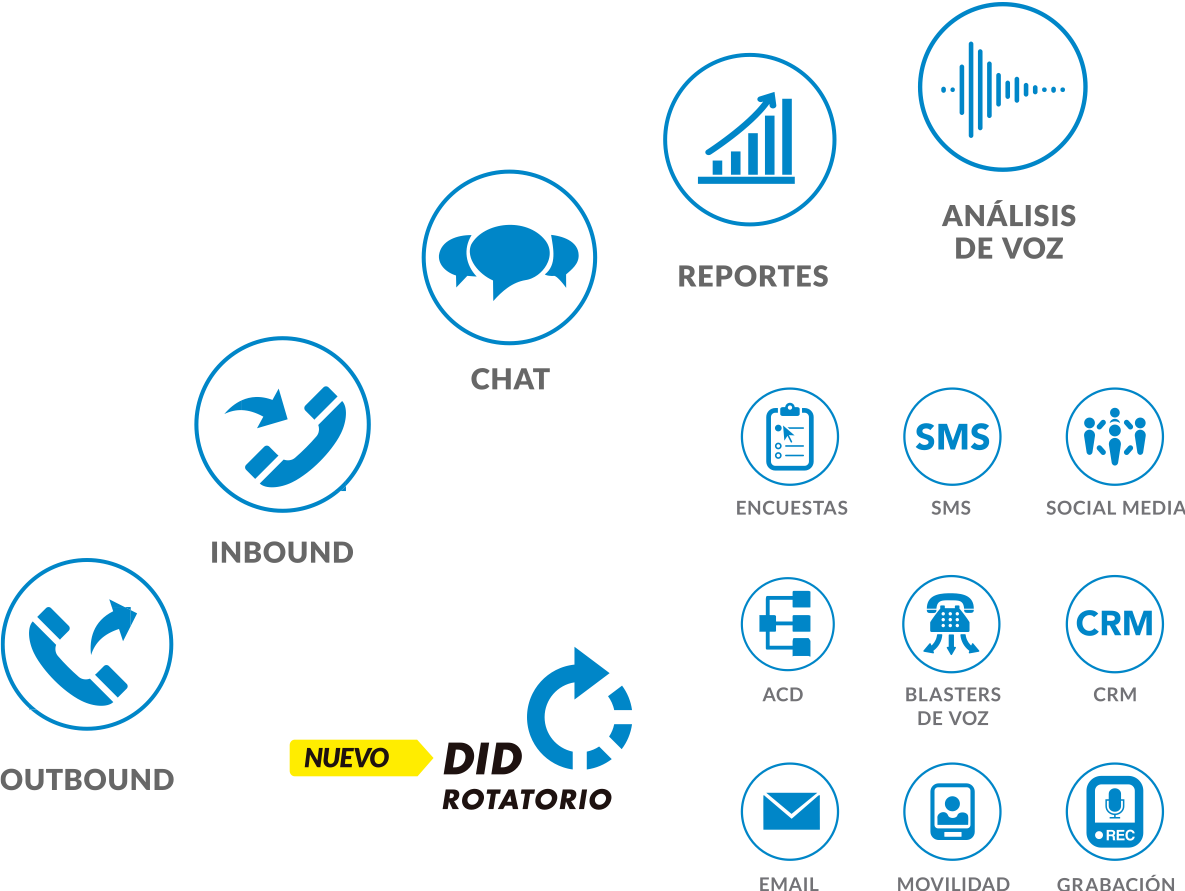
Predictive Dialer

Inbound Calls
Outbound Calls


Chat

SMS
Multiple Combined Media
It is possible to handle more than one interaction across different media—multiple simultaneous communications between an agent and a customer.
These interactions take into account skills, contact history, and priority, regardless of the contact channel. Interactions can be assigned manually, or their priority order can be changed.
Voice Calls
Interactions are organized using scenarios:
For voice calls, scenarios combine IVR and routing into a seamless call flow—spanning everything from identification, segmentation, and service selection to call distribution and surveys.
For high call volumes, our virtual queue allows customers to hang up and receive a callback once a representative becomes available.
IVR (Interactive Voice Response)
IVR and other channels are controlled by scenarios consisting of easy-to-use blocks, combining workflows using a “drag-and-drop” interface.
Outbound Dialing Automation
Increases agent productivity during outbound dialing. Supports predictive, preview, and automatic dialing modes.
List management capabilities include filtering, consent expiration, automated import/export, and more.
The campaign operator dashboard allows for real-time monitoring and control of campaign execution.
- Right-party contact scenarios
- Geographically closest ANI selection
- Customizable forms
- Do-Not-Call (number, area code, account, ZIP code, and more)
- Safe calling hours, including state-based curfews
Email Processing
Agents manage inbound email alongside calls, chats, and mobile devices, with skill-based distribution and media priority rules.
The email could be pushed to a ready agent if there are no higher priority interactions, or it could be sent to a shared attention queue for later selection and “pull” by agents.
Web chat
Easy to implement by placing an HTML snippet on your website; the user interface is customizable.
Agents can handle multiple chats simultaneously.
Includes a response library.
Chat history is saved and can be emailed to the customer.
A survey can be offered at the end of the session.
Mobile Customer Service
Smartphone capabilities are leveraged to provide an enriched contact experience:
A multimedia communication channel for the customer, combined with the collection and transmission of pre-call data from the app or website.
The channel supports any combination of the following media:
- Text chat
- Image-based messaging
- Voice and video
- SMS
Supervision Tools
Monitoring tools integrate a dashboard of real-time statistics for monitored equipment and services.
- Supervisor notifications about anomalies with customizable alerts.
- Monitor and score calls and other interactions on the fly.
- The supervisor can see the agents’ screens.
Information
Historical reports are available immediately.
They can be run on demand, scheduled, and delivered via email or FTP.
They can be customized using free tools, and historical data can be accessed via third-party reporting packages.
Web Browser Administration
All administration is handled through a user-friendly web interface.
Quality Management
Records all interactions and allows you to search, review and classify recordings.
Screen recording option in interactions.
Quality management reports include survey data and are provided by agents, services and teams.
Encryption of all recordings and transcripts is controlled by a permanent service option.
Security
- Password policy: Complexity and expiration
- Role-based access control
- Audit log
- Encryption of recordings and transcripts
- Data encryption list
- Communication encryption
Accordance
All the necessary components are available to assist with compliance regarding:
- HIPAA
- PCI
- TCPA
- List management
- Result export
- PCI recording control API
- “Click-to-Call” API
- Web-browser-based interface
- Web service access from scenarios
- Database access from scenarios
Your Business = Smart Business
Redefine your customer experience and take advantage of the features integrated into TOGA Business Cloud. This platform was designed to be flexible, scalable, secure, and easy to implement.

Reporting

Cloud PBX

CRM Integrations

IVR

Voice recording

Screen recording
TOGA Call and Contact Center: Key Features
Incoming Voice Calls and SMS
Full call control from browser
Regardless of the agent call delivery option used—be it a built-in softphone, SIP phone, WebRTC, DID, or dial-out with the line open—calls are fully controlled from the Agent Desktop web application
Call transcription
Call transcripts in a customer’s activity history help agents understand the meaning of phone calls quickly, in their context. In addition, transcripts assist managers in easily searching interactions across voice, messaging, and email conversations, as well as leveraging cognitive technologies
Dropped calls conversation continuity
When a customer redials within minutes of dropping a call, the call is delivered to the same agent that helped the customer, bypassing IVR and queues and resuming the interrupted conversation
In-call and standalone sms messaging
At any time during a call, a customer or an agent may send SMS messages to each other
Virtual queue with callback
During peak call volumes, callers have the option to hang up and receive a callback when an agent becomes available, in the same order that the original call was received
Pre-recorded message playback
Agents can pre-record frequently used messages in their own voice and play them during calls to improve efficiency and consistency
Routing
Automatic call distributor
Calls and other interactions are automatically distributed to the right agents based on a combination of interaction and agent properties
Skills-based routing
Skills-based routing lets administrators precisely and fairly distribute interactions to agents, targeting the available agents who are best fit to handle the interaction at hand
Omnichannel capacity and overrides
A unique agent capacity model used in our BPCC routing engine allows agents to handle multiple interactions of various types with overrides (e.g., calls can override emails)
Personal routing
Contacts who have been identified as high-priority can enjoy shorter wait times—or even no waiting at all—when using our priority-routing feature
Same region (follow-the-sun) routing
Same-region routing helps to keep calls closer to agent teams, with global overflow when no one closer is available or when wait times are too long
Priority routing
Interactions with an identified contact (i.e., a contact identified using data from a CRM) can be routed to the same agent and/or an agent from the same team who previously helped that contact
Omnichannel Scenarios, IVR, and Workflow
Interactive voice response (IVR)
IVR scenarios are easily defined using our drag-and-drop visual editor
Multiple built-in integrations for data access
A number of data access integrations are available as user-friendly scenario blocks, with point-and-click configuration
Restful api and direct db access
Web service access via scenario blocks and blocks for direct DB access offer flexibility beyond integrations offered out-of-the box
SMS and email capabilities
Scenarios can send emails and SMS messages for notifications, transcripts, and survey requests, as well as provide confirmation numbers and other written information
Workflow automation
After all interactions are finished, many triggers, including call dispositions, can start a workflow scenario that automates processes using scenario-based communication and integration/data access blocks
Omnichannel scenarios
Voice calls, chats, and workflows are driven by the same scenario mechanism, with shared communication and integration/data access blocks
AI, Bots, and Cognitive Technologies
SMS and email capabilities
A number of bot integrations are available, from simple to complex. Bots can connect agents at any time to keep customer satisfaction high
Workflow automation
Bots can connect an agent and an agent can add a bot to a chat conversation to handle simple tasks and frequent requests at any time
Omnichannel scenarios
AI systems can be used to track conversations and provide possible replies to agents
Insight on changes in customer behavior
Sentiment analysis across channels allows agents and supervisors to focus quickly on problematic conversations
Quality management automation
Our automated QM features help quality management coaches to select conversations requiring attention
Sentiment analysis, tracking and routing
See what customers are talking about, and track changes of subjects over time
Email Management
Push and pull distribution modes
Using the email service queue, messages can be either pushed to “ready” agents or placed into a shared queue for assigned agents to pull
Service level management
The time remaining before a service level commitment is breached is used to prioritize messages in the queue
Keyword and sentiment routing
Keywords and sentiment values extracted by Natural Language Understanding could be used to route and prioritize messages
Automatic case creation and tracking
Each message is kept in a case—a virtual folder that is automatically created and updated—with the history of all communications with all related parties, irrespective of channel
Follow-up queue
Agents can mark replied-to cases for follow-up, and return to them at a later date to prod unresponsive parties or update customers of new developments
Built-in knowledge base
A built-in Knowledge Base helps maintain training levels and consistency of replies. Knowledge Base supports full text search, use frequency, and content import and export
Web Chat
Point and click widget configuration
All aspects of chat widgets, chat forms, and proactive chat can be edited and customized in our intuitive editor UIs without having to code or re-upload HTML chat snippets
Proactive chat
Using point-and-click configuration, different offers can be popped based on a web page, various other conditions, or in combination
Response timer
A handy visual timer shows agents which customer they are chatting with and how long they have been waiting for their reply
Web notifications
Web notifications remind customers about their chat sessions, which helps to reduce customer-abandoned chats
Cobrowsing
Customers can share their screens with agents during a chat on a company’s website, allowing agents to follow the customer’s screen movements and clicks
Voice and video escalation
When enabled, customers and agents can upgrade their chat conversation to a phone call or audio-video call over the Internet at any time
If you already have a contact center solution—whether or not it was purchased from TOGA Customer Services—the following information may be of interest to you to learn…
How can you optimize your call/contact center? Answer: Here’s how we can help...
Measure and Optimize
Analyze and improve your call/contact center with analytics and monitoring tools.
Measure and optimize your cash conversion cycle.
Productivity
Improve the productivity of your Contact Center with automation and advanced tools
Productivity for Contact Centers
Improve ROI
Hardware and/or software technology to identify opportunities and reduce costs
Better Call Center ROI
Más Funcionalidades
Generate relevant experiences with your customers by making your Call Center solution more robust